
A calendar that shows your whole year
Most calendars show you a week. Cronicular shows you a year — on one beautiful dial you can spin through time. Your events become arcs, the seasons wrap around them, and the dates that matter are pinned where you can see them coming.
Free on iPhone and iPad · Home Screen widgets included · Apple Watch with Pro
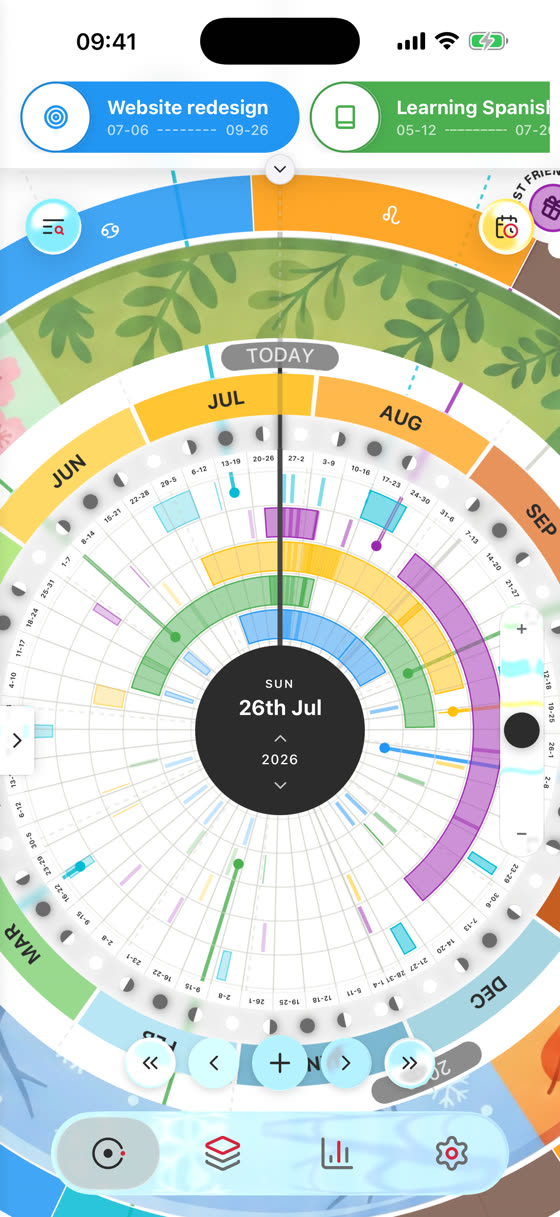
The whole year, on one dial
Twelve months wrap around a single circle. Every calendar gets its own ring, and every event is drawn as an arc across the days it actually spans — so a weekend away, a three-month project and a birthday all sit in the same picture.
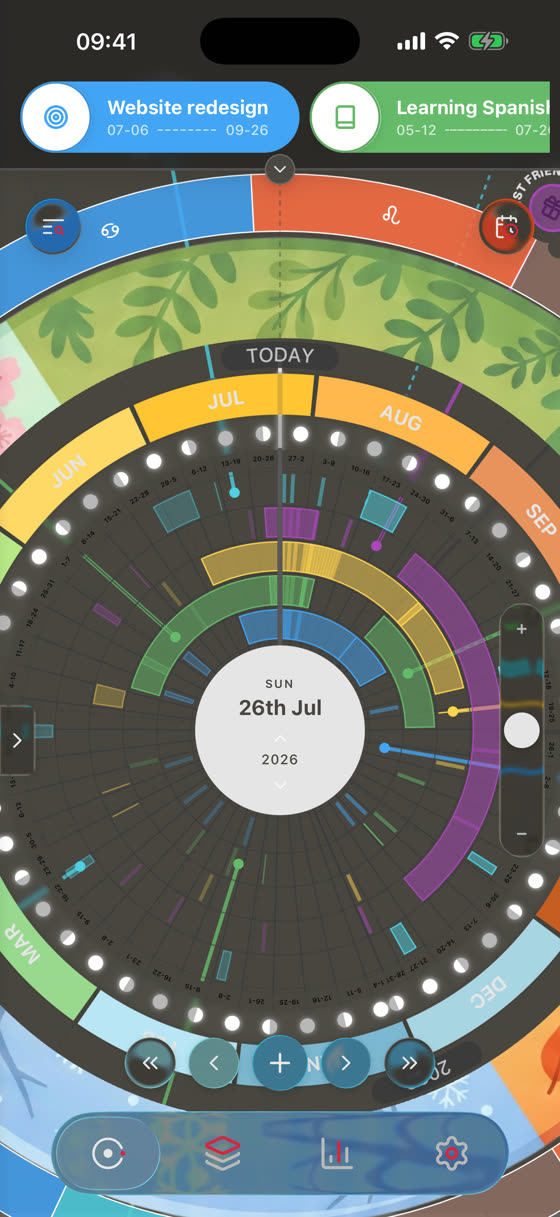
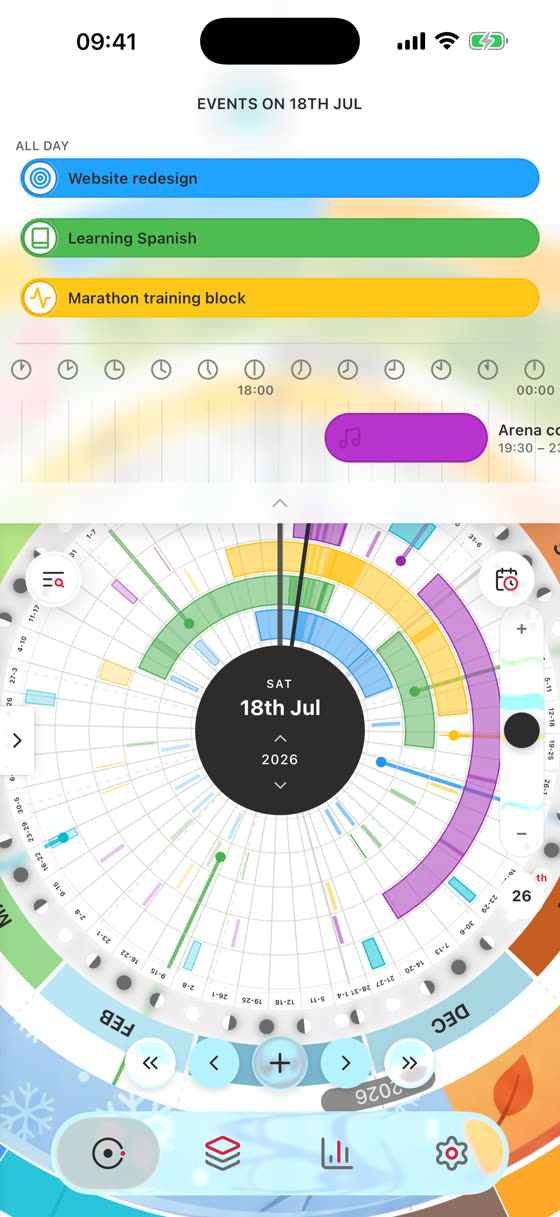
Built to be made yours
Cronicular is a calendar first, but the dial is a canvas. Layer on the rings you care about, pin the dates you don't want to miss, and switch it all on and off in a tap.
Style Rings
Seasons, moon phases, planets, eclipses, zodiac and your own health data — layered around the dial. Or build your own ring from scratch.
Anchors
Birthdays, anniversaries and milestones pinned to the rim, with photos and reminders. Link one to an event to see the moment and the memory connected.
Groups
Save combinations of calendars and rings, then switch between them in a tap — work in the week, everything at the weekend.
Three views
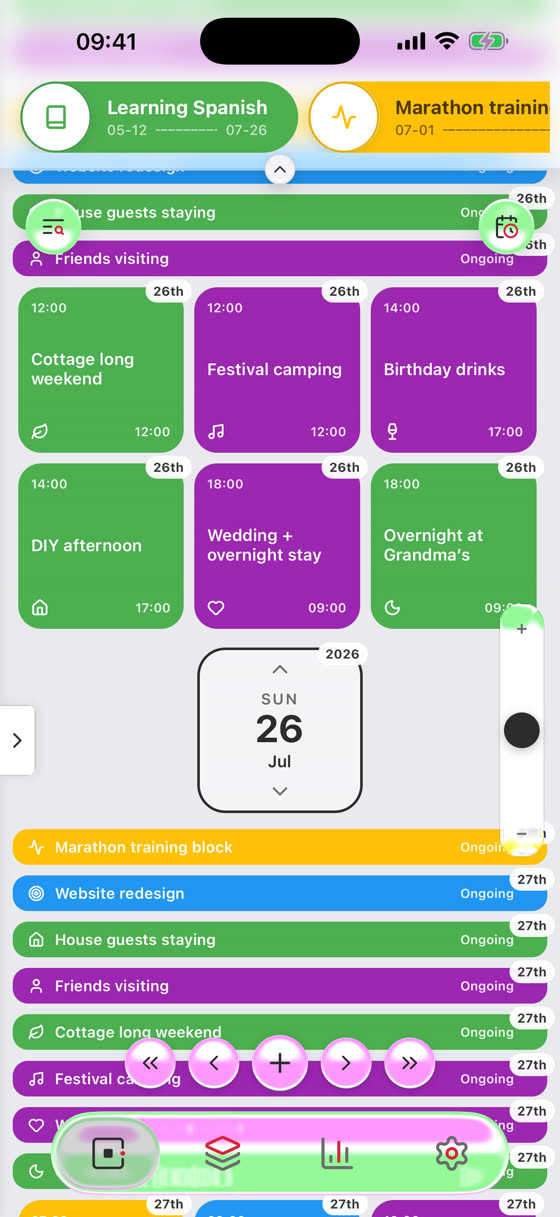
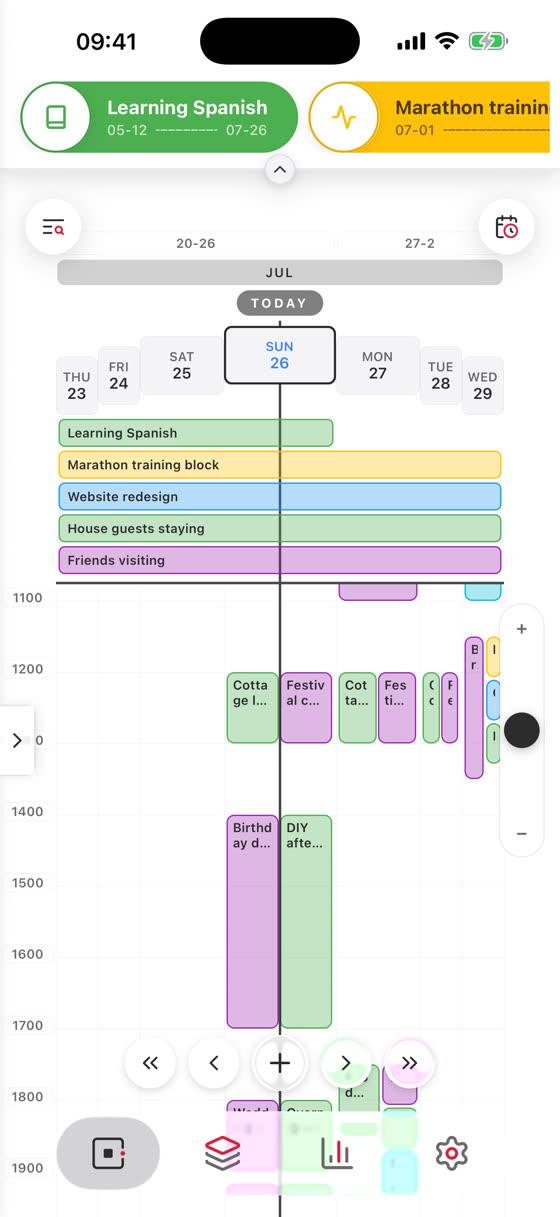
The Dial for the year, Minimal for a clean zoomable list, and Classic for a familiar week that folds up into a month grid. Same data, your choice.
Themes
Six palettes, light and dark, twelve colour slots, and a monthly app icon that changes with the season.
Insights
Nine reports on where your year actually went — by month, by weekday, by calendar, by anchor, plus your own Custom Trackers and a Life in Weeks view.
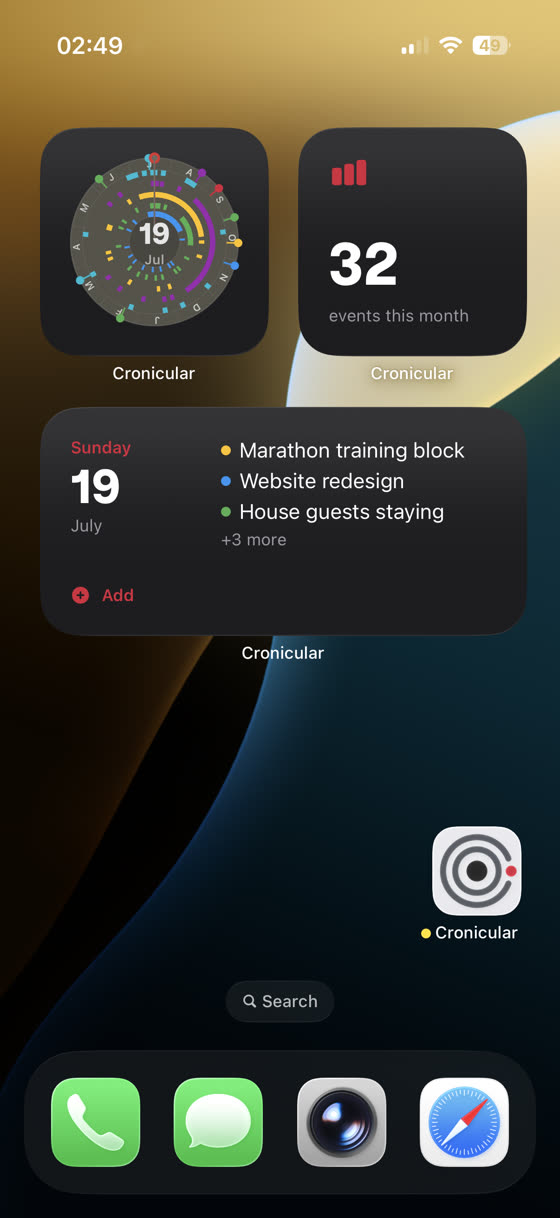
On your wrist, your Home Screen, and your desktop
Apple Watch
The dial on your wrist — spin through the year and see what's next. Included with Pro.
Web app
Your dial in any browser at app.cronicular.com.
Your calendars, imported
Bring in Apple and Google calendars, or an .ics file. Merge duplicates without losing anything.
Two things no other calendar does
Manage your calendar from your AI
Cronicular speaks MCP — connect it to Claude and other AI assistants and ask them to check your week, add events or tidy your calendars, in plain language. See how →
Add events by voice
Cronicular's App Intents let you add an event with Siri or drop it into any Shortcut, without opening the app.
Free to use. Pro when you want more.
Cronicular is a real calendar for free, on one device — not a trial. Pro is a one-off unlock for the deeper features.
Free
Everything you need to run your year
- The full year dial, all three views
- Unlimited calendars, events and anchors
- Style Rings, themes and app icons
- Home Screen widgets
- Apple, Google and .ics import
- Anchor photos on your device
Pro
One-off unlock, in the app
- Sync across all your devices
- Anchor photos synced everywhere
- No ads
- Insights
- Apple Health on the dial
- Apple Watch app
- Custom Style Rings and Custom Trackers
- Saved Groups
- The Cronicular API
Questions
Is Cronicular really free?
Yes. The calendar, the dial, the rings and the widgets are all free on a single device — no trial timer. Pro is a one-off in-app purchase that adds multi-device sync, Insights, Apple Health, the Watch app and more. You can keep using Cronicular without ever upgrading.
Will it change my existing calendars?
Not unless you ask it to. Importing copies your events into Cronicular and leaves the originals alone. If you turn on “Sync Edits To Apple Calendar”, Cronicular asks you to confirm each individual change before writing anything back — and bulk actions inside Cronicular never touch your Apple calendar.
Where is my data stored?
Your events and anchors sync through your Cronicular account. Apple Health data stays on your device, and photos you add to anchors stay on your device unless you're a Pro user with sync switched on. You can export everything, or delete your account and all its data, from Settings at any time. See the privacy policy.
Which devices does it work on?
iPhone and iPad (iOS 17 and later), Apple Watch, and any modern browser via the web app. Home Screen and Lock Screen widgets are included.
Can I use it with Claude or Siri?
Yes. Cronicular provides an MCP server so AI assistants like Claude can read and manage your calendar with your permission — see Use in Claude. Siri and Shortcuts can add events through the app's App Intents.
I need help with something.
Head to support — or read the walkthroughs to get started.
Start your year
Free on iPhone and iPad.